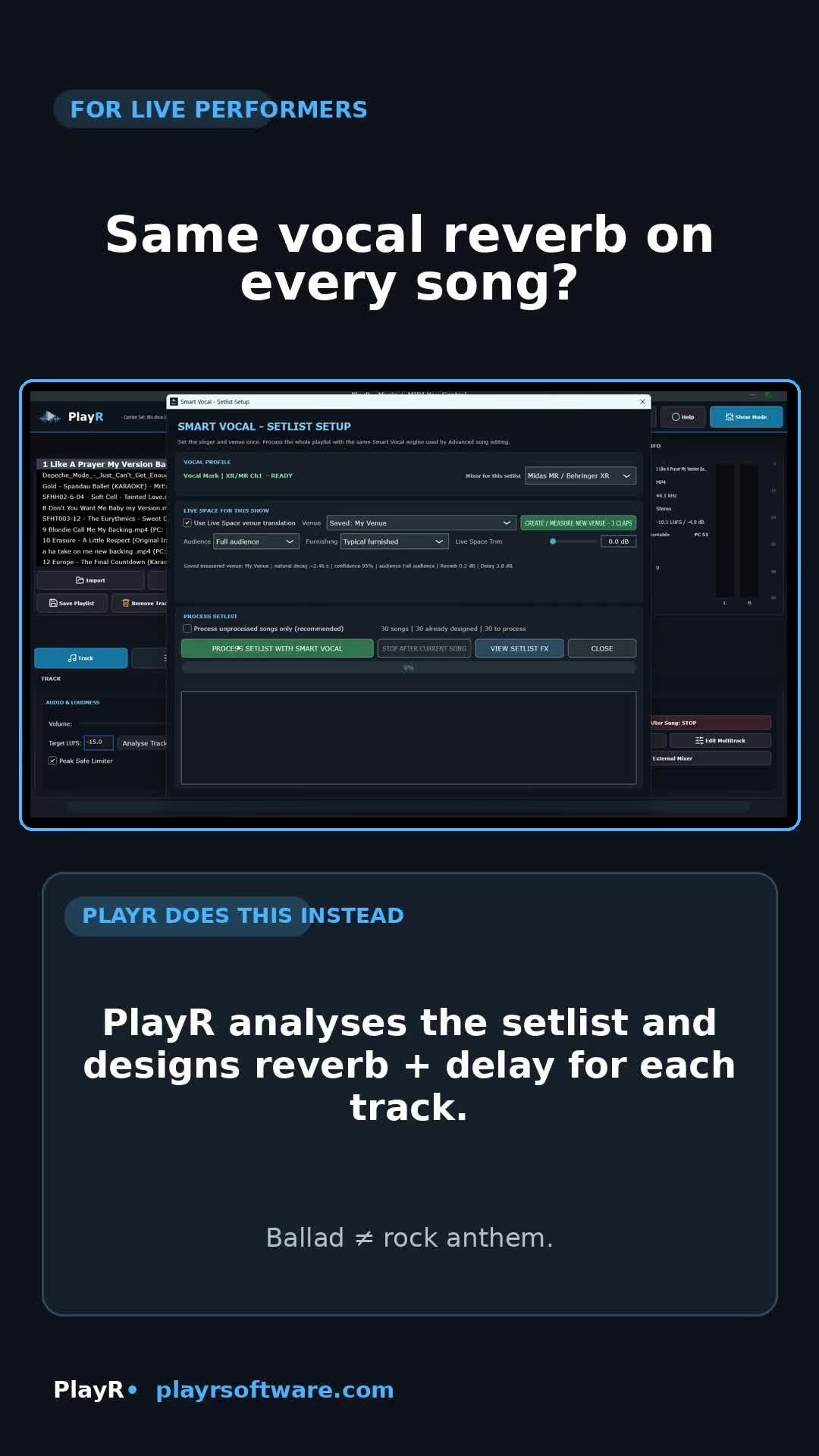
Smart Vocal
Same vocal reverb on every song?
PlayR can analyse the setlist and prepare song-specific reverb and delay suggestions for supported digital mixers.

Built for live performers
PlayR brings backing tracks, multitracks, song notes, MIDI, lighting automation, video, CDG, Intermission Music and vocal-preparation tools into one focused performance system — now built for Windows, macOS, Android and iPhone/iPad.
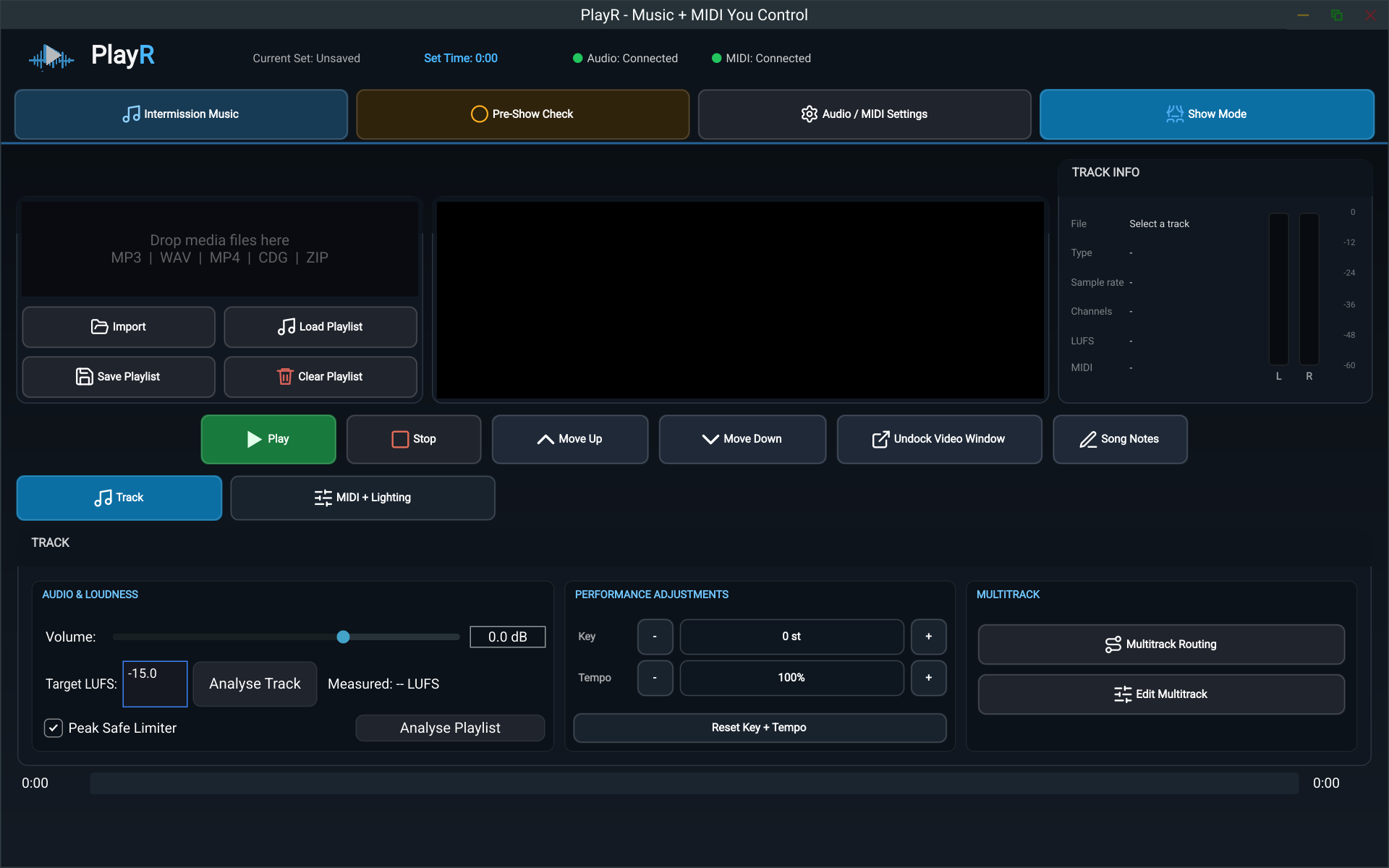
See the real workflow
Watch the refreshed overview montage built from the genuine PlayR interface and recent feature demos. No invented mock-ups, no stock footage — just the actual workflow.
Made for real gigs
PlayR grew out of performing several nights a week: backing tracks in one app, video in another, lighting commands somewhere else, and break music still needing separate attention.
It is built around the job itself — prepare the show, press play and trust the system on stage.
What problem does PlayR solve?
These are the real workflows now shaping PlayR's public-facing story.
PlayR can analyse the setlist and prepare song-specific reverb and delay suggestions for supported digital mixers.
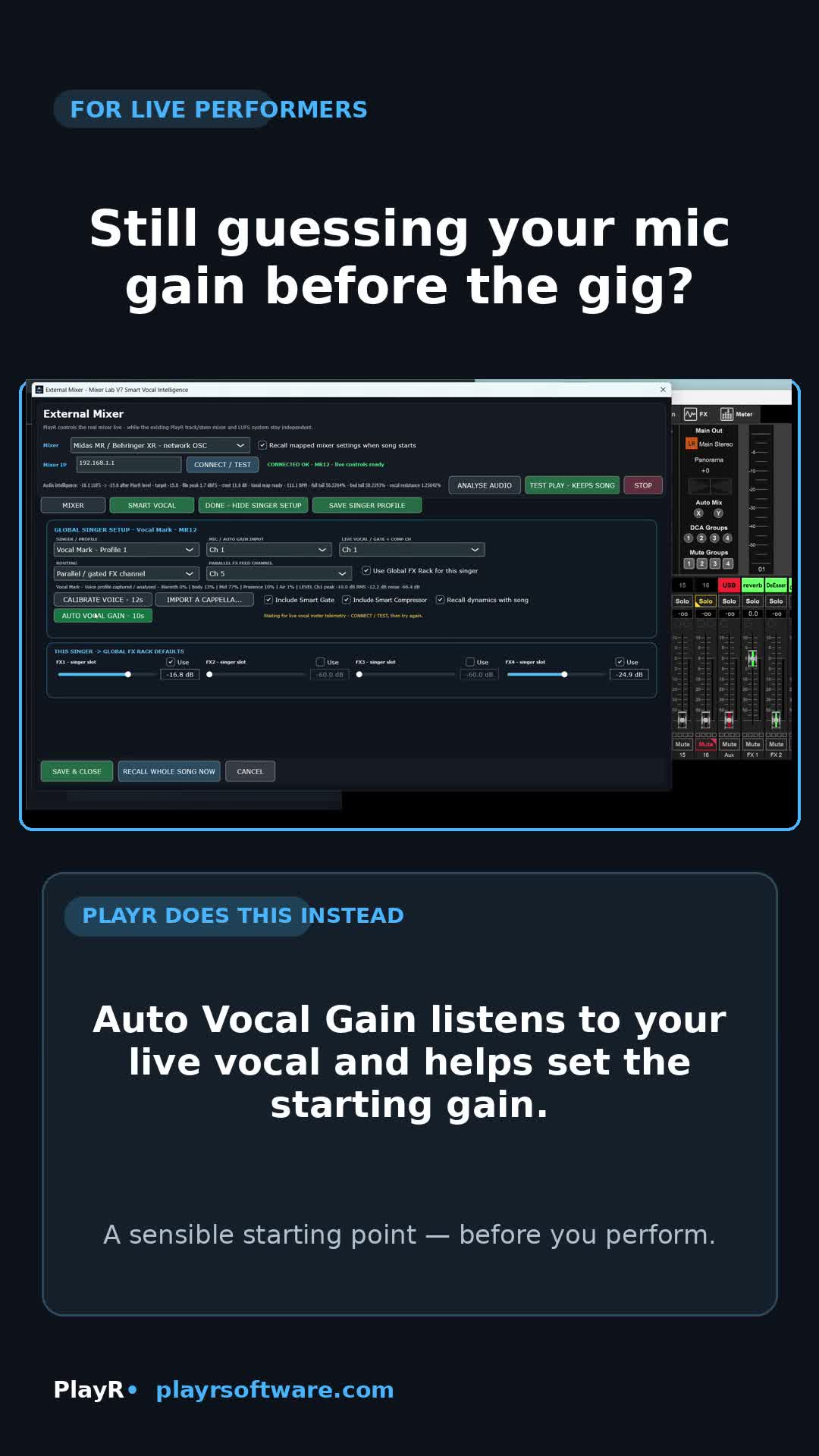
The Auto Vocal Gain workflow helps establish a more sensible starting gain on supported digital mixers from your actual live voice.
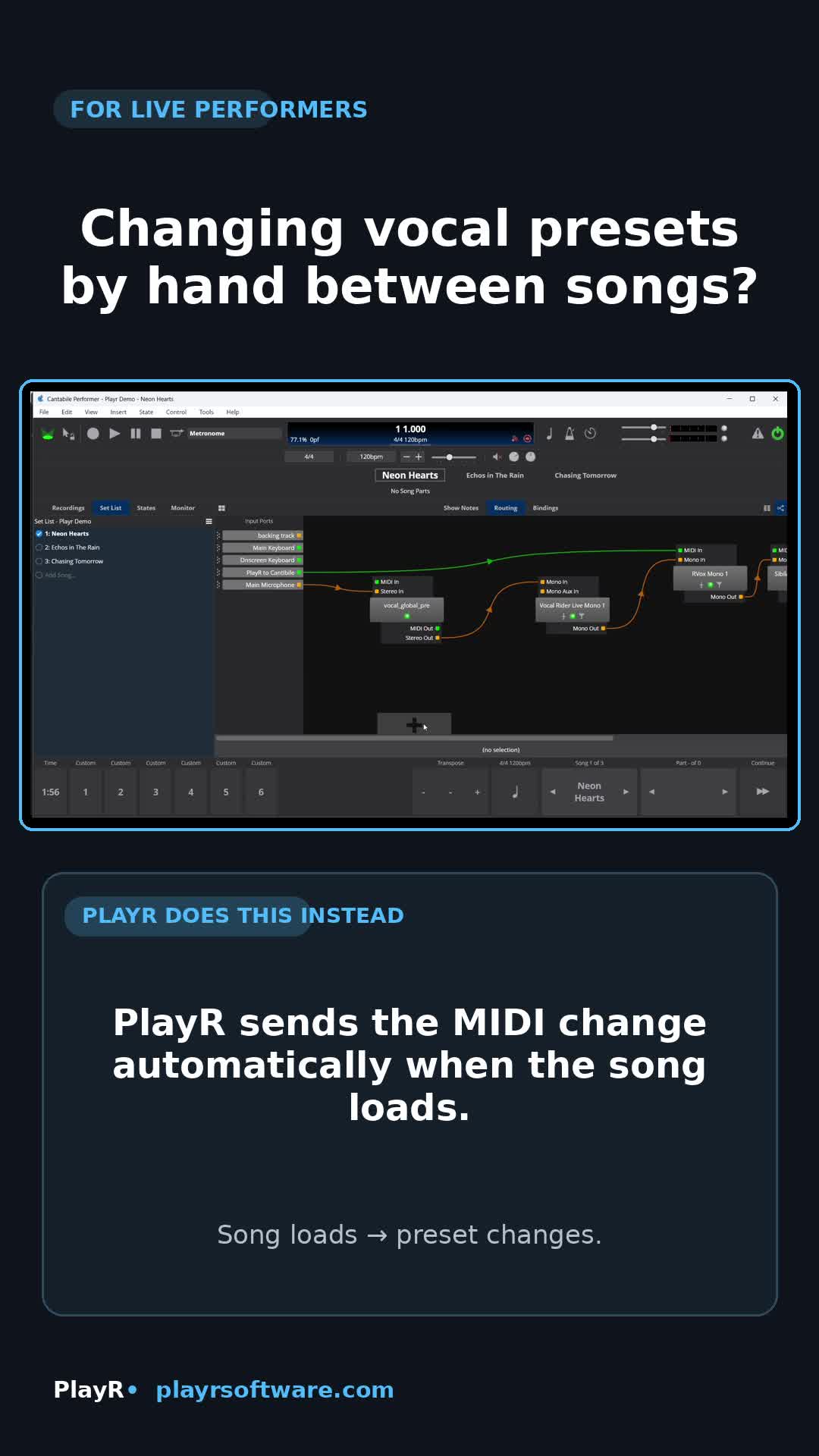
PlayR can send the required MIDI change automatically when the song loads or plays.
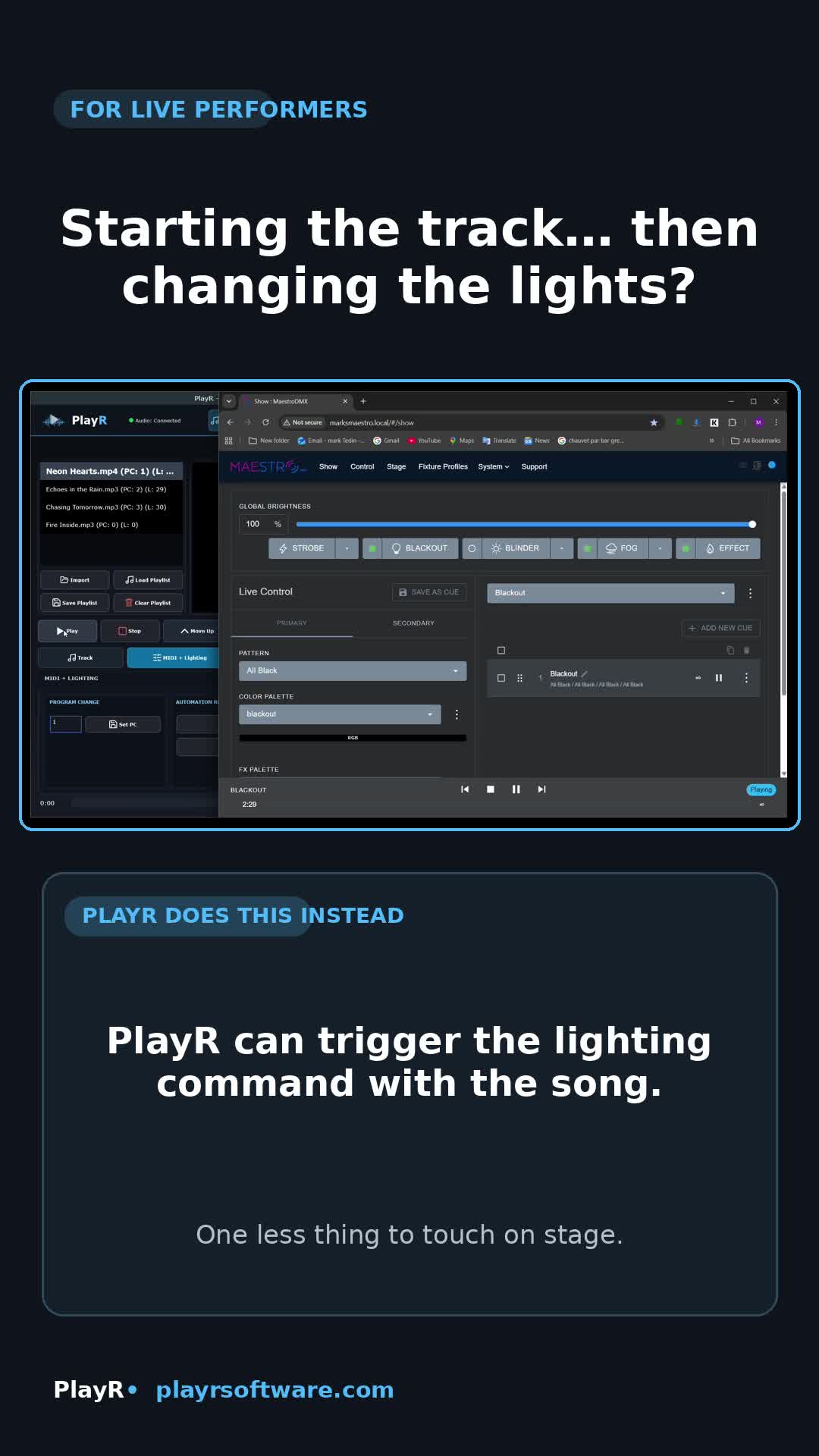
Trigger compatible lighting and visual cues as part of the same song workflow.
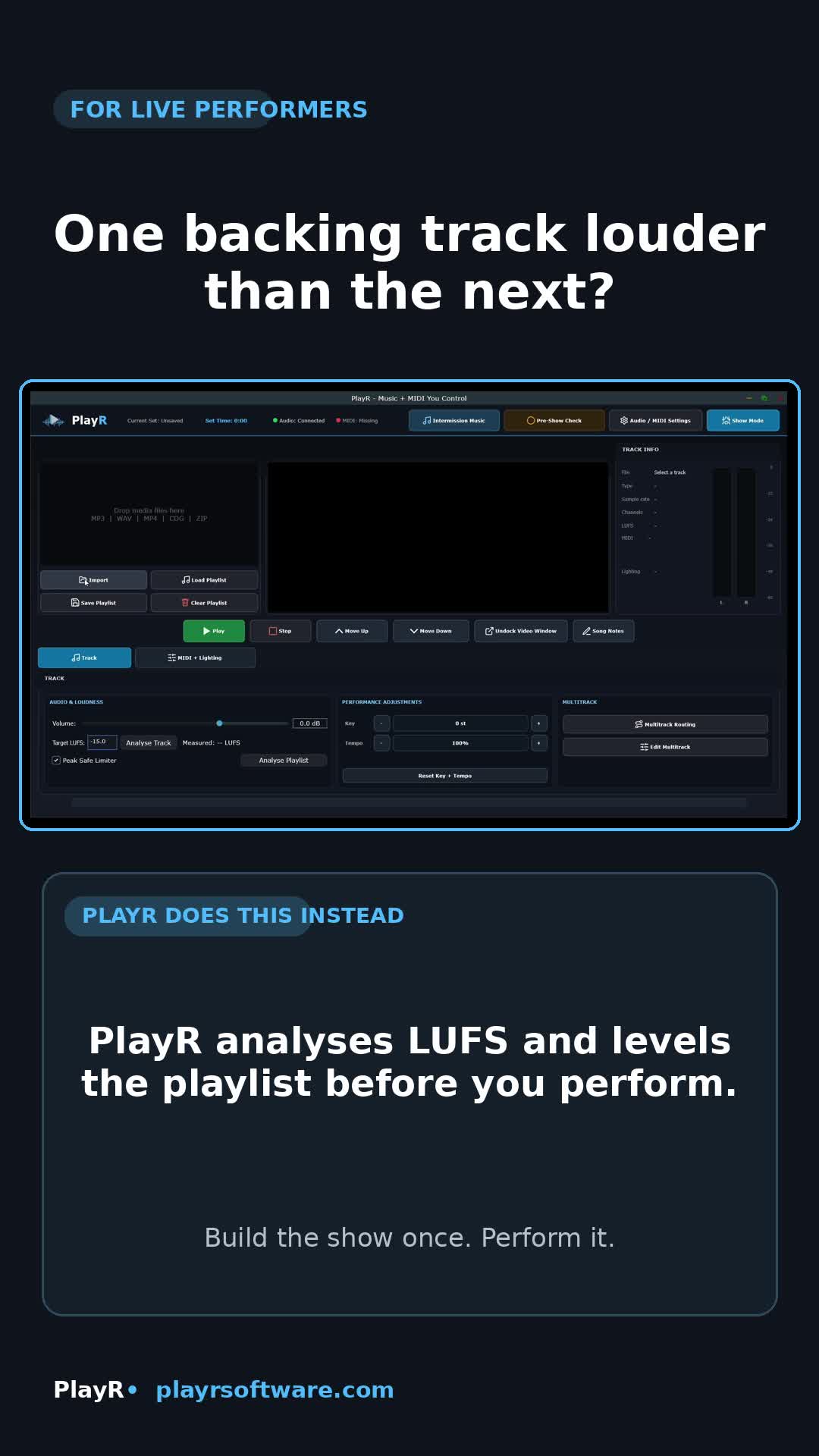
Measure loudness, store song-specific adjustments and avoid nasty jumps in level.
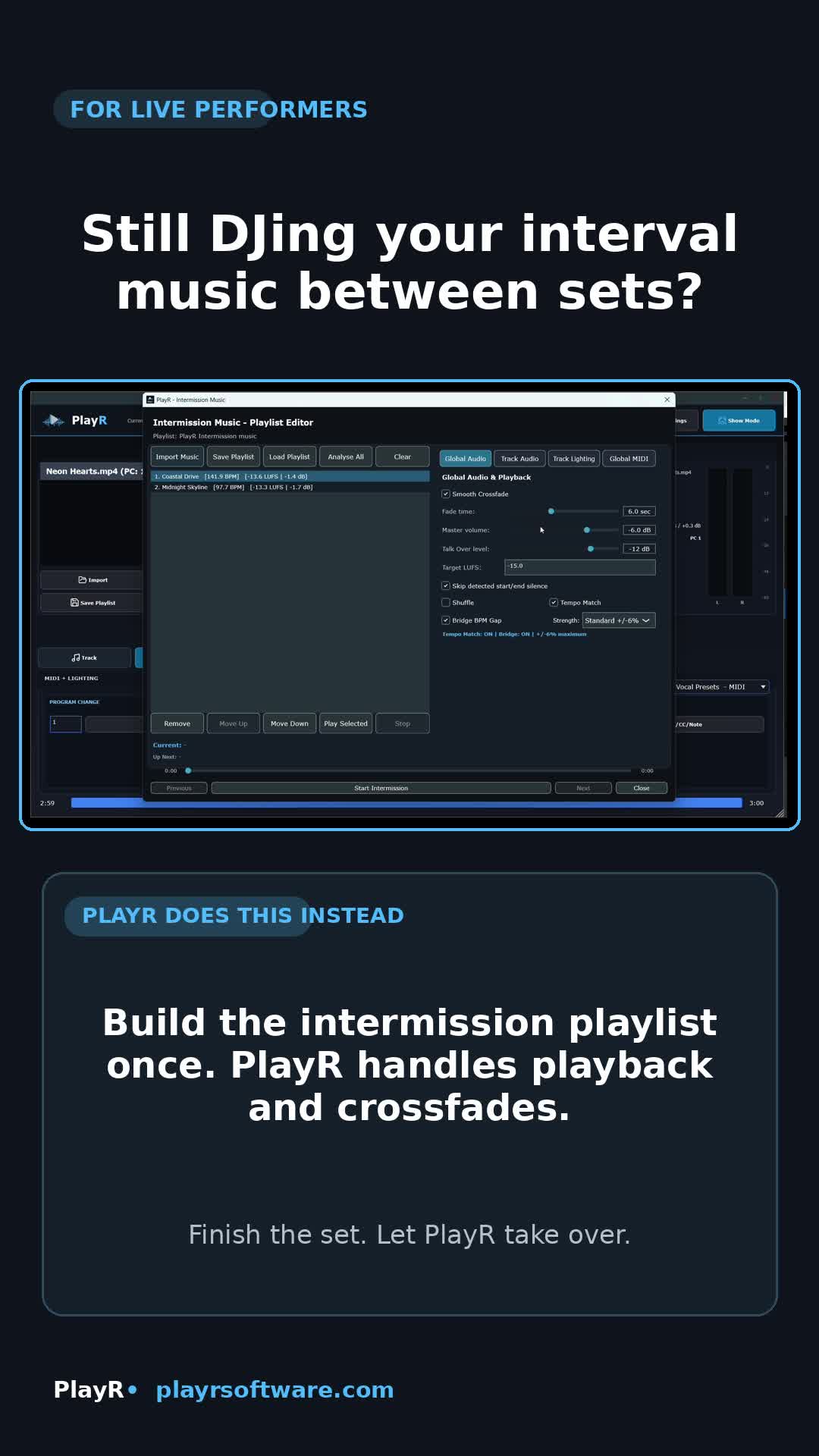
Let PlayR run a separate prepared break-music playlist with crossfades between sets.
Mixer compatibility: PlayR's mixer-integrated Smart Vocal, Auto Vocal Gain and automatic reverb/delay control currently require a supported Behringer X-Air XR-series mixer (XR12, XR16 or XR18), a Midas MR-series mixer (MR12 or MR18), or a Behringer FLOW 8. The rest of PlayR is not dependent on one of these mixers.
Explore use cases
These pages are designed to explain PlayR more clearly to performers, search engines and AI search tools.
How PlayR handles playlist playback, levels, notes, key and tempo for working performers.
Use CaseA single workflow for singers using tracks, automation and stage-friendly show control.
Use CaseRoute stems and prepare flexible live mixes without losing a straightforward workflow.
Use CaseTrigger external software and visual cues from the same playback timeline.
Use CaseSong-aware vocal preparation and starting-gain control for supported Behringer XR, Midas MR and FLOW 8 mixers.
Use CaseA separate break-music system that behaves like part of the show rather than an afterthought.
Everything in one place
Powerful where it matters. Clear when the room is full and the pressure is on.
Run a completely separate break-music playlist with smooth crossfades, LUFS matching, silence trimming, BPM analysis, Tap BPM, gentle tempo matching, Talk Over ducking and its own MIDI and lighting cues.
Run ordinary backing tracks or route stems to dedicated outputs for a flexible live mix.
Keep the performance screen focused on current and next songs, notes and the controls needed live.
Measure integrated loudness and store song-specific adjustments to avoid sudden level jumps.
Send program changes, CC messages and notes to named external destinations from each song.
Trigger lighting scenes and recorded automation directly from the playback timeline.
Build song-aware vocal FX suggestions for supported XR, MR and FLOW 8 mixers so ballads, pop songs and rock anthems don't all behave the same way.
On supported XR, MR and FLOW 8 mixers, help singers establish a sensible starting gain from their actual live voice instead of pure guesswork.
Play video or MP3+CDG with docked and external display options for compatible setups.
The actual PlayR interface
These are genuine captures from the PlayR interface. Tap any image to enlarge it.
Four-platform PlayR
PlayR now spans four platforms. Windows, macOS and Android are supplied directly by PlayR; the iPhone/iPad edition is distributed through Apple's App Store.
Included with PlayR Full or the Desktop Add-on. Full desktop workflow with professional audio and MIDI integration.
Direct downloadIncluded with PlayR Full or the Desktop Add-on. Universal Mac build for Intel and Apple Silicon.
Direct downloadAvailable as a standalone Android purchase or as part of PlayR Full, with a touch-friendly live workflow.
Direct APKSeparate App Store edition with its own one-time unlock. The App Store link will be added as soon as Apple approves and releases it.
App Store release pendingBuilt for offline gigs. Internet is needed for purchase or initial activation where applicable, but normal show playback is designed to work without a live connection.
From preparation to performance
Add audio, multitracks, CDG or video and arrange the running order.
Store levels, notes, key, tempo, MIDI commands, lighting cues and routing.
Use Pre-Show Check to test songs and automation without disturbing the live running order.
Run Show Mode, then start the separate Intermission Music playlist between sets.
One-time purchase · no subscription
There are now two purchase routes. Windows, macOS and Android licences are sold directly by PlayR, while iPhone/iPad is purchased separately through Apple's App Store. The cards below show exactly what each purchase includes.
one-time full unlock after the 10-day trial
GBP · one-time purchase
GBP · one-time purchase
GBP · one-time purchase
Which one do I buy?
Buy the £34.99 App Store edition once it is released.
Buy PlayR Android for £34.99.
Choose PlayR Full — £58.99 at launch, then £78.99.
Choose PlayR Desktop — £44 one-time for Windows and macOS, with up to two active desktop devices.
Contact support with proof of purchase during the launch offer. We'll issue a discount code reducing PlayR Desktop from £44 to £24.
Use the App Store edition for iPhone/iPad plus PlayR Full for Windows, macOS and Android.
Direct PlayR checkout is in GBP. Applicable taxes are handled at checkout. Your bank or card provider may display the equivalent in your local currency. App Store pricing and taxes are handled by Apple.
Questions
No. Every PlayR purchase shown here is a one-time purchase. There is no recurring PlayR subscription.
For Android only, choose PlayR Android. For Windows and macOS only, choose PlayR Desktop. For Windows, macOS and Android together, choose PlayR Full. Existing iPhone/iPad or Android owners can contact support with proof of purchase during the launch offer to receive a discount code for PlayR Desktop. iPhone/iPad is a separate App Store purchase.
No. PlayR Full covers Windows, macOS and Android. Apple requires the iPhone/iPad edition to be purchased through the App Store, so it has its own £34.99 one-time purchase.
PlayR Android allows one Android activation. PlayR Desktop allows up to two active Windows/macOS devices. PlayR Full allows up to three active Windows, macOS or Android devices in any supported combination. App Store installation and restore rules apply to the iPhone/iPad edition.
If you already own PlayR on iPhone/iPad or Android, contact licensing support with proof of that purchase during the launch offer. Once verified, we can issue a discount code reducing PlayR Desktop from £44 to £24. The public PlayR Desktop price remains £44.
Yes. Windows, macOS and Android can be downloaded without payment details and used free for 10 days. If you buy afterwards, enter the licence key into the same app — there is no need to reinstall. The iPhone/iPad edition will use the same 10-day-trial approach through the App Store.
Yes. Internet is needed for purchase or initial activation where applicable, but normal show playback is designed for offline use.
The mixer-integrated Smart Vocal, Auto Vocal Gain and automatic reverb/delay control currently require Behringer X-Air XR12, XR16 or XR18; Midas MR12 or MR18; or Behringer FLOW 8. These mixer-specific functions are optional — PlayR's main playback, multitrack, MIDI, lighting, video/CDG, Show Mode and Intermission workflows do not require one of those mixers.
The iPhone/iPad edition has been submitted to Apple. The website will add its App Store link after Apple approves and releases it.
Four platforms · clear purchase options
Desktop, Android and iPhone/iPad now have clearly separated purchase routes, so you do not pay for the wrong platform combination.